

Manual offboarding is a high-stakes gamble that most modern enterprises can no longer afford to take. When an employee leaves, the delay between their departure and the removal of their digital identity creates a critical security vulnerability known as "ghost access." For organizations governed by SOX or SOC 2, this delay is not just a security risk; it is a significant control gap that can lead to audit failure.
The complexity of the Microsoft 365 ecosystem often obscures the path to clean, compliant access removal. Administrators frequently struggle to ensure that every license is reclaimed, every session is revoked, and every SharePoint permission is purged. This guide provides a technical roadmap for automating user deprovisioning to ensure that termination of access is immediate, consistent, and fully auditable.
The Invisible Risk of Ghost Access
Ghost access occurs when an identity remains active in a system after the physical user has departed the organization. In a Microsoft 365 environment, this can allow ex-employees to retain access to sensitive email threads, proprietary Teams files, and internal SharePoint sites. Security teams must treat every unmanaged identity as a potential entry point for data exfiltration or lateral movement.
Standardizing the offboarding process is the only way to eliminate the human error inherent in manual checklists. Without automation, the "offboarding logical access removal" process often relies on a chain of emails and tickets that can be easily overlooked. A single missed step: such as failing to revoke an active session token: can leave a back door open for weeks.
To understand why this is a systemic problem, one must look at the audit trail. Auditors do not just want to know that access was removed; they want proof that it was removed promptly following a termination event. Automated systems provide this proof by creating a tamper-resistant record of every action taken.
The Compliance Mandate: SOX and SOC 2
For organizations under the jurisdiction of the Sarbanes-Oxley Act (SOX), logical access controls are a primary focus of IT General Controls (ITGC). Specifically, offboarding SOX logical access requires a clear "Joiner-Mover-Leaver" (JML) framework where access is removed within a strictly defined window: often 24 hours or less. Failure to demonstrate this consistency during an audit can result in a "material weakness" finding.
SOC 2 compliance similarly demands evidence of "Access Provisioning and Removal" (Control CC6.2). Compliance managers must be able to pull a sample of terminated employees and show the exact timestamp when their access was disabled across all domains. This level of granularity is nearly impossible to achieve with manual processes that leave fragmented logs across multiple admin centers.
The transition from manual to automated deprovisioning turns compliance from a recurring headache into a background process. By automating the technical steps, the organization ensures that the security posture remains rigid, regardless of the volume of staff turnover. For more details on aligning these processes with standard frameworks, explore the 7 mistakes in SOC 2 offboarding controls.
How to Automate User Deprovisioning in Microsoft 365
Automating the removal of access within Microsoft 365 (formerly Office 365) requires a coordinated approach across Entra ID (Azure AD), Exchange, and SharePoint. The goal is to move from a ticket-based system to a trigger-based system. The following technical steps outline the standard for a secure, automated leaver workflow.
1. Establish the HR-Triggered Source of Truth
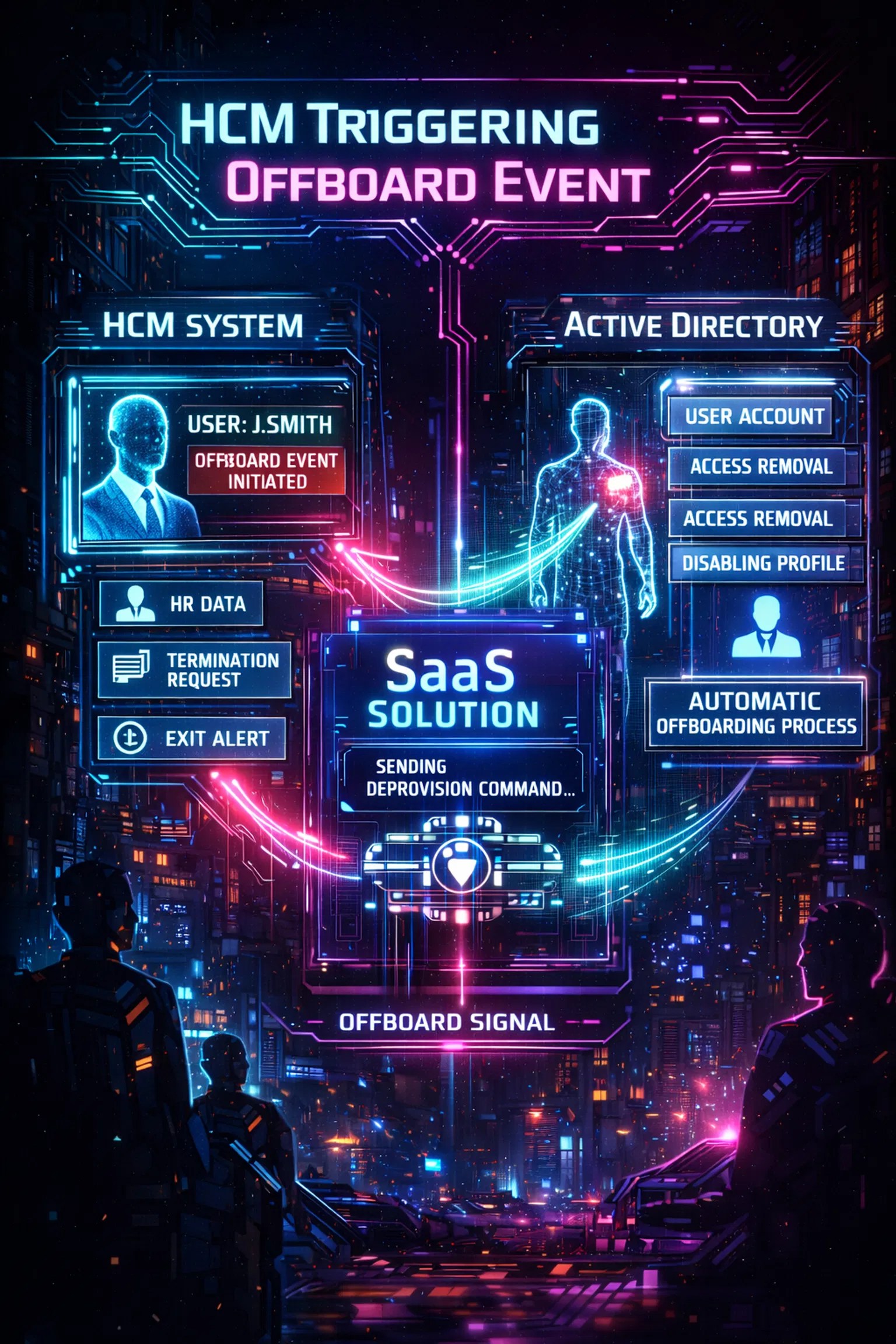
The most critical step in how to automate user deprovisioning in Microsoft 365 is the trigger. Automation should never start with a manual IT ticket; it should start with a status change in the Human Capital Management (HCM) system. When HR marks an employee as "Terminated," the identity system should automatically initiate the offboarding workflow.
Offboarder leverages this "HR-as-the-authoritative-source" approach to eliminate the delay between HR action and IT execution. This ensures that the technical offboarding process is synchronized with the actual employment end date. Organizations interested in this integration can view specific Offboarder use cases to see how HR data drives security outcomes.
2. Immediate Block Sign-In and Session Revocation
The first technical action must be to block the user's ability to sign in to Entra ID. However, blocking sign-in alone is insufficient because existing sessions and tokens can remain active for hours. An automated workflow must include a command to "Revoke Refresh Tokens," which forces the user out of all active web and mobile sessions immediately.
This "Kill Switch" functionality is the cornerstone of employee offboarding best practices. It ensures that even if an employee is currently logged into Outlook or Teams on a personal device, their access is terminated the moment the workflow runs. This prevents any last-minute data scraping during the termination window.
3. License Reclamation and Group Removal
Unused licenses are a significant source of "technical debt" and unnecessary expenditure. An automated system should identify all assigned Microsoft 365 licenses and remove them from the user object. This not only saves money but also removes the user from the "active user" counts that auditors often use to identify potential ghost accounts.
Furthermore, the user must be removed from all Security Groups, Microsoft 365 Groups, and Distribution Lists. This prevents the "leaver" from appearing in corporate directories or receiving future internal communications. Automated group cleanup ensures that the user's identity is effectively erased from the collaborative environment.
4. Automated Mailbox and OneDrive Management
Manual handling of mailboxes is a common bottleneck. A compliant automation strategy converts the departing employee’s mailbox into a "Shared Mailbox" and grants temporary access to a manager if required. This preserves the data for legal and retention purposes without requiring an active (and expensive) license.
Similarly, ownership of the user’s OneDrive files should be automatically transferred to a designated supervisor. The platform handles these complex data handoffs without human intervention, ensuring that business continuity is maintained while the individual’s access is severed. For hybrid environments, it is also essential to know how to disable Active Directory users automatically to ensure synchronization across on-prem and cloud systems.
The Native Constraint: Why Built-in Tools Often Fail Audit
Microsoft provides native tools like Power Automate and Entra ID Lifecycle Workflows to assist with automation. While powerful, these tools often lack the "Evidence Capture" required for rigorous compliance audits. They generate logs that are scattered across different log workspaces, making it difficult for a Compliance Manager to provide a consolidated report to an auditor.
A "control gap" often exists between the automation's execution and the auditor's verification. If the automation fails for a specific user due to an API error, who is notified? How is that failure remediated? Many native solutions do not provide the robust error handling and "proof of success" notifications that a SOX-focused organization requires.
Offboarder solves this by providing a dedicated audit-ready evidence trail. The platform does not just perform the action; it captures the success confirmation from the target system and stores it in a centralized repository. This turns technical activity into organizational accountability.
Offboarder: Turning Process into Proof
The Offboarder platform is designed for organizations that view offboarding as a security and compliance function rather than just an IT chore. By using a lightweight on-prem agent and a cloud-native architecture, it bridges the gap between diverse identity domains and Microsoft 365.

The primary benefit of the platform is the elimination of manual handoffs. When a termination is triggered, Offboarder executes a multi-domain sequence:
- Disables the user in on-premises Active Directory.
- Blocks sign-in and revokes sessions in Entra ID.
- Removes M365 licenses and group memberships.
- Generates a comprehensive audit report with timestamps for each action.
This streamlined path forward reduces operational risk and frees up IT teams to focus on higher-value tasks. Organizations can evaluate the financial value of this automation by visiting the Offboarder pricing page.
Audit-Ready Evidence: The Compliance Manager’s Shield
In a SOC 2 or SOX environment, the "Evidence Capture" is the most valuable output of the offboarding process. An auditor will typically request a list of all employees who left the company in the last six months and ask for proof that their access was removed. If your answer involves manual digging through Entra ID logs, you have already lost the battle.
The platform provides a centralized dashboard where every offboarding event is documented. This includes the HR trigger timestamp, the execution timestamp for each system (M365, AD, Salesforce, etc.), and a final success verification. This level of detail is "tamper-resistant" and directly maps to the control requirements of ISO 27001 and SOC 2.
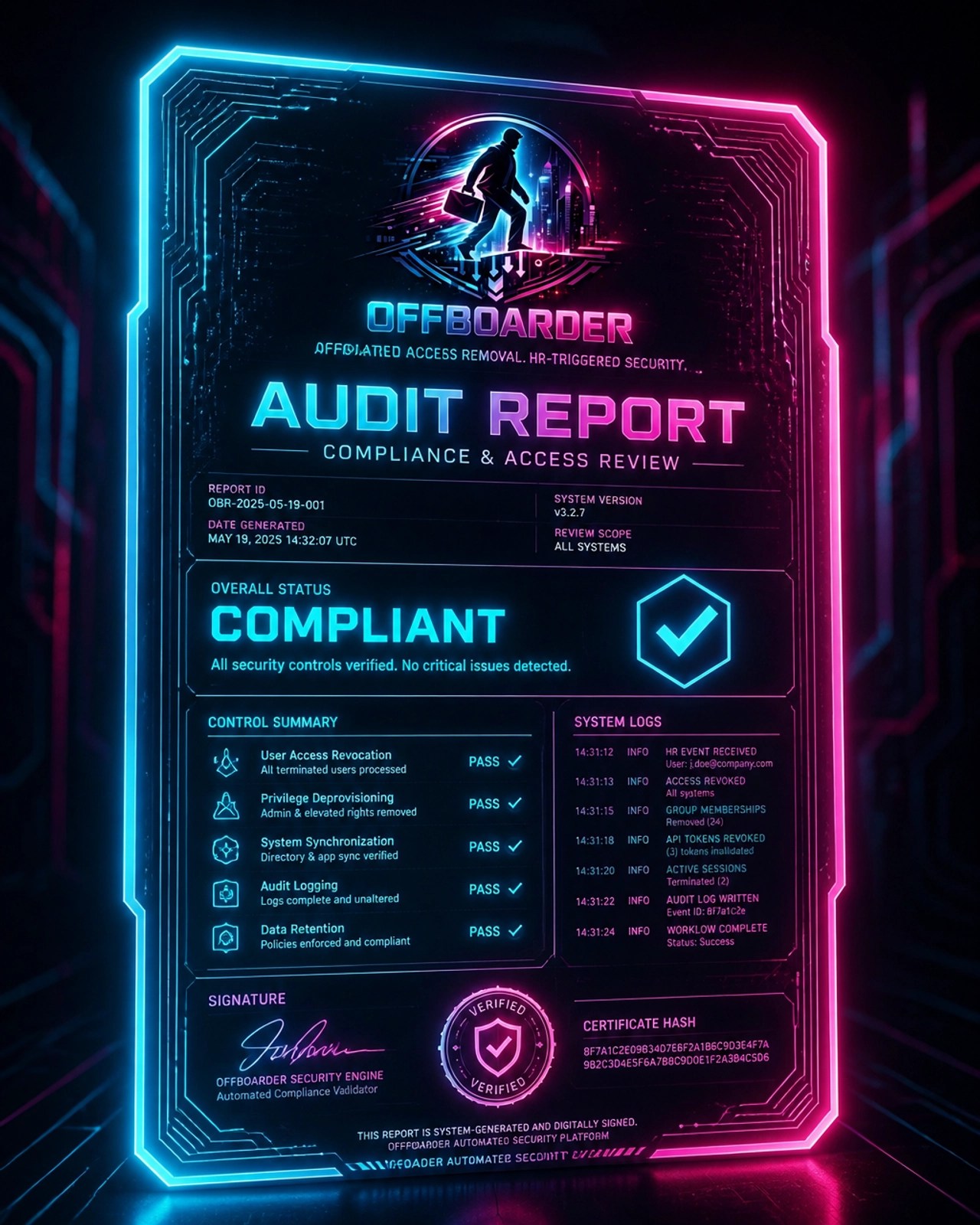
Strong logging helps turn activity into accountability. By centralizing this data, the organization ensures that it is always "audit-ready," significantly reducing the time and stress associated with compliance season. For a deeper dive into the governance aspect, read the ultimate guide to SOX logical access.
Strategic Recommendations for Implementation
Organizations looking to automate their Microsoft 365 deprovisioning should follow a phased approach to ensure stability and security:
- Define the Policy: Establish a clear timeline (e.g., immediate revocation upon termination) and document it as a formal policy.
- Audit Current Access: Perform a "security review" to identify any existing ghost accounts or orphaned identities.
- Choose the Right Trigger: Ensure that your HR system is the primary trigger for all termination events to prevent communication gaps.
- Standardize the Workflow: Map out exactly what should happen to mailboxes, licenses, and group memberships for every role.
- Automate and Verify: Deploy a solution like Offboarder to handle the technical heavy lifting and provide the necessary audit evidence.
Automating these steps is no longer a luxury for enterprise IT; it is a fundamental requirement for modern corporate governance. By removing the human element from the offboarding cycle, companies protect their data, satisfy their auditors, and maintain a lean, efficient operation.
The standard for logical access control has evolved. Organizations must now prioritize consistency and proof over manual checklists and "best effort" responses. Automation is the only path to a truly secure and compliant digital identity lifecycle.
Leave a Reply